Launch Week: Everything New in DNS4IN
Connection testing, leak detection, speed comparisons, domain lookups, and more. Here's everything we shipped.
DNS4IN has been live since Diwali 2025, quietly resolving queries for users across India. This week, we shipped a wave of features that make it easier to verify your connection, test our performance, and interact with us. Here's everything that's new.
Connection Test
The first question anyone has after setting up DNS4IN: "Is it actually working?"
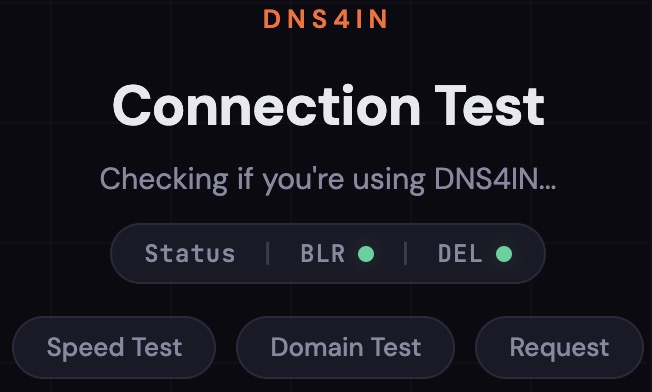
Now you can check instantly. Visit test.joindns4.in and within seconds you'll see a clear verdict: whether you're connected to DNS4IN and which server (Bangalore or Delhi NCR) is handling your queries. No app needed, no account required. Just open the page.
If you're not connected, the page tells you that too, along with which resolver your queries are currently going through.
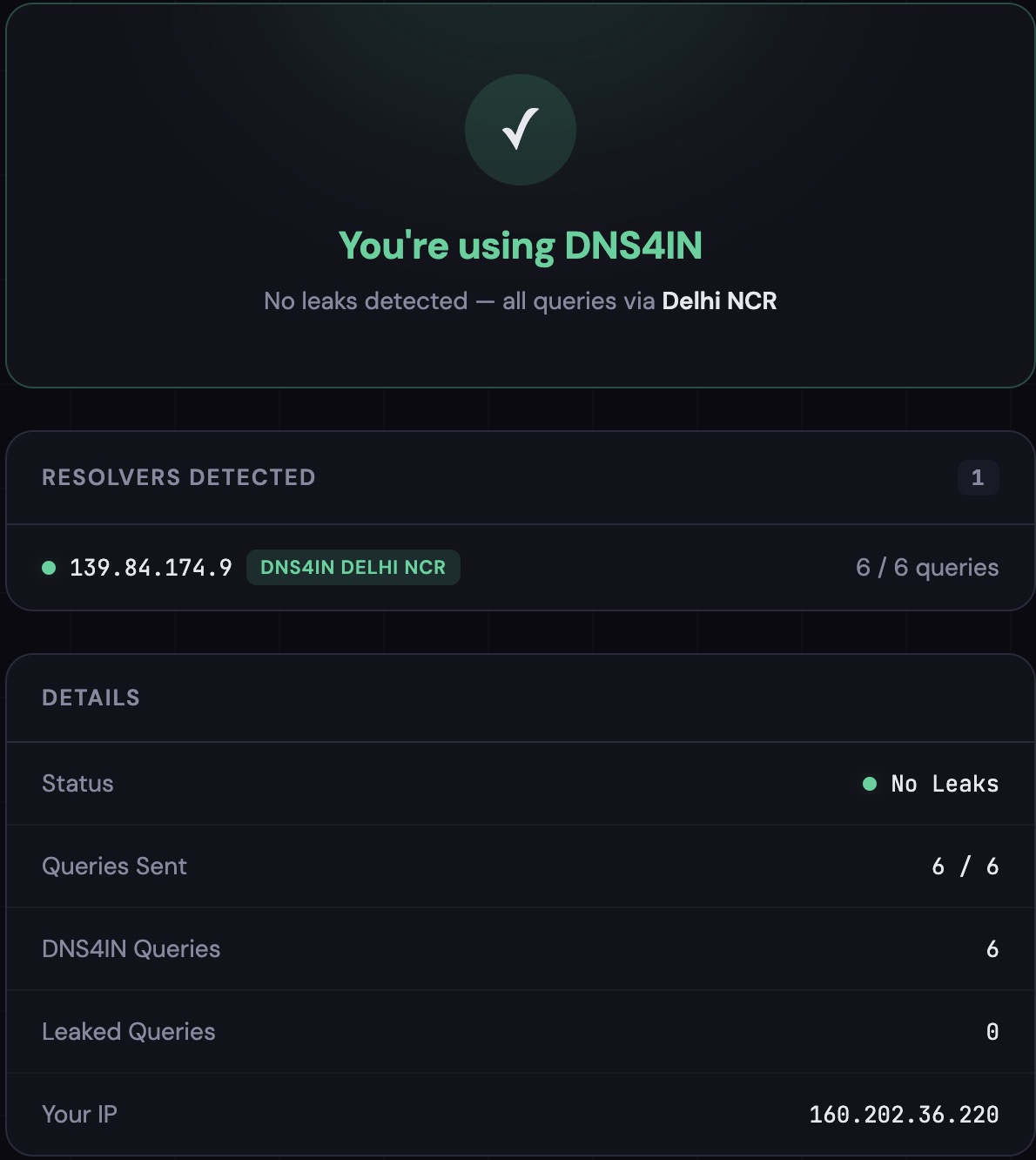
We also added a connection banner to the main site at joindns4.in. The moment the page loads, a bar at the top tells you whether you're protected. If you've set up DNS4IN correctly, it shows green. If not, it tells you to get started.

DNS Leak Test
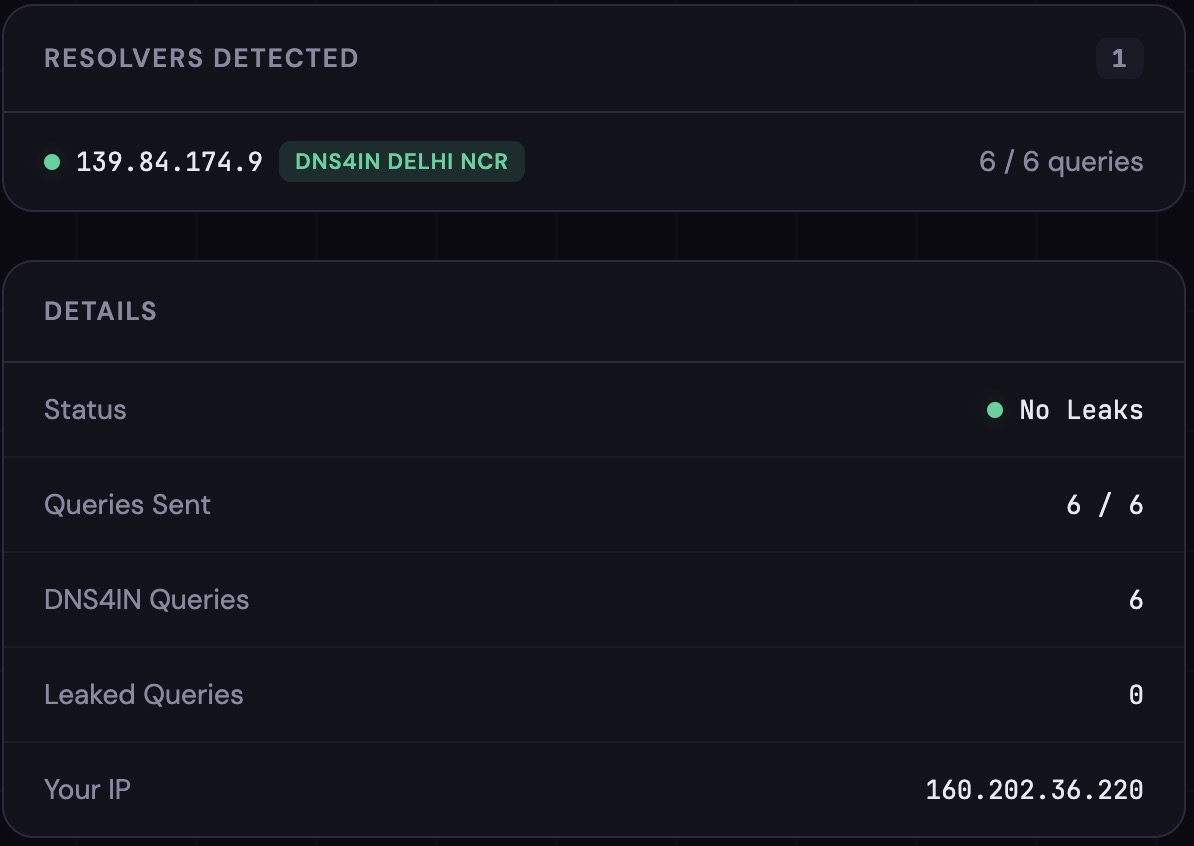
Setting up encrypted DNS is only half the story. If your device is sending some queries through DNS4IN and others through your ISP's resolver, you have a DNS leak, and your browsing is not fully private.
Our leak test fires multiple parallel probes and checks whether all of them resolve through DNS4IN. If any query slips through a different resolver, we detect it and show you exactly which IP handled it. You'll find this on test.joindns4.in, right below the connection verdict.
Speed Comparison
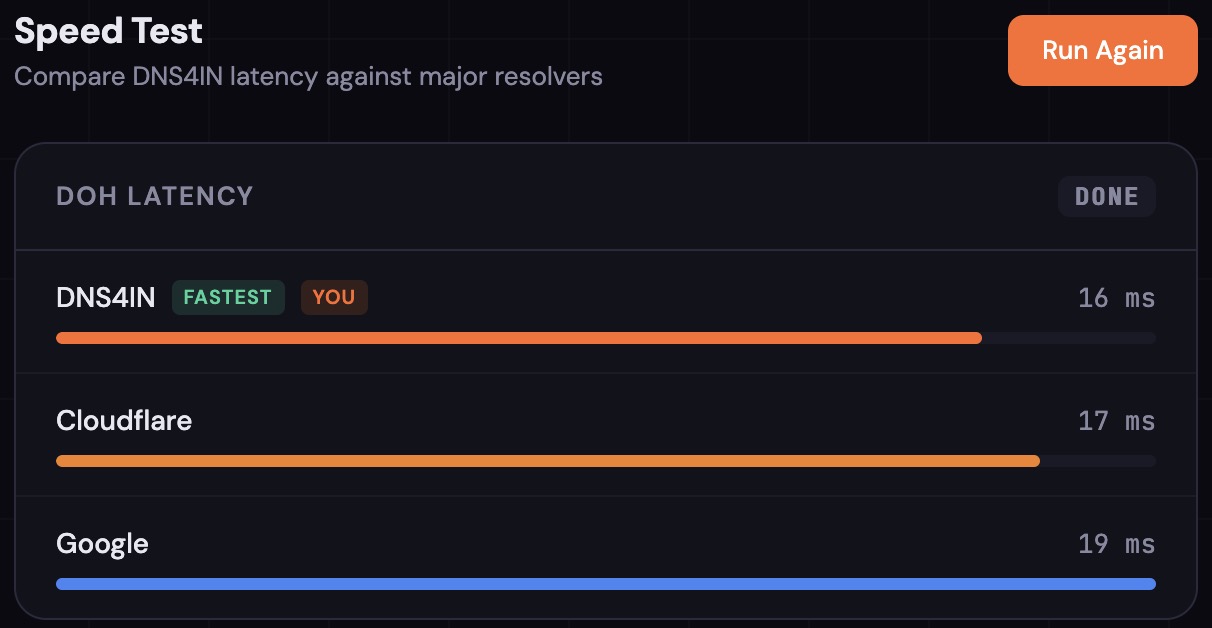
"Privacy is nice, but is it slow?" Fair question. We built a speed test so you can see for yourself.
Click Run Test on test.joindns4.in and the page sends real DNS-over-HTTPS queries to DNS4IN, Google, and Cloudflare simultaneously. Each resolver gets multiple rounds, results are sorted by median latency, and DNS4IN is tagged so you can see exactly where it lands.
If you're in India, you might be surprised.
IPv6 Support
If your network supports IPv6, DNS4IN does too. Both our Bangalore and Delhi servers accept queries over IPv6, and our test page detects this automatically. When IPv6 is available, you'll see a separate section on test.joindns4.in confirming IPv6 connectivity with its own speed comparison.
Domain Lookup
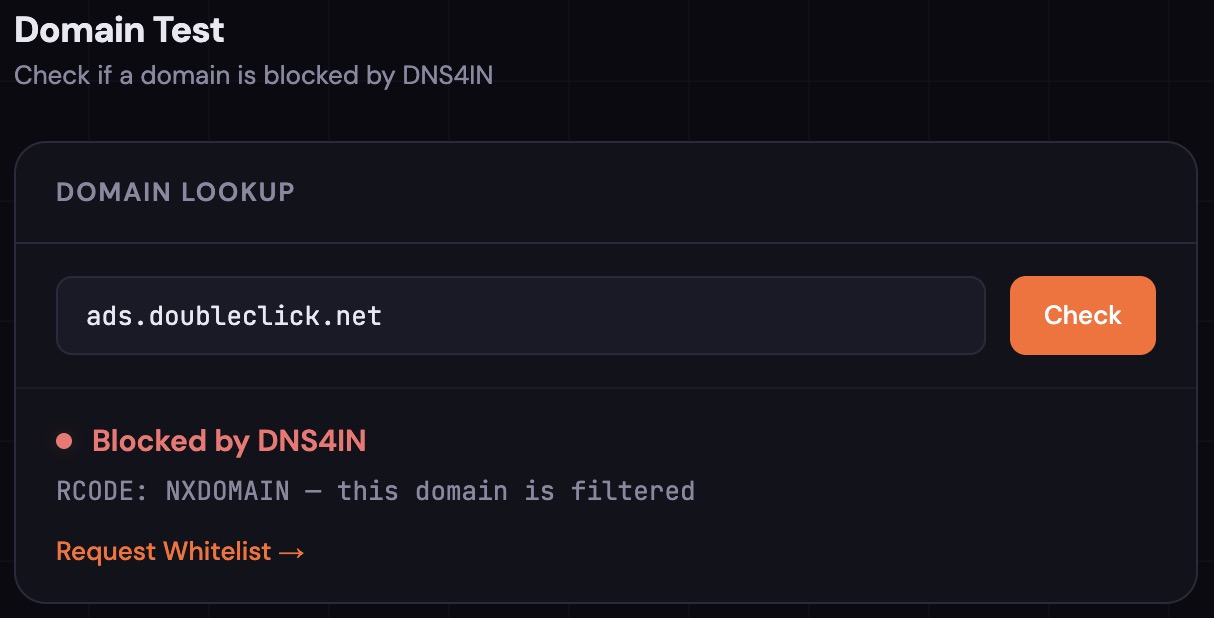
Curious whether a specific domain is blocked by DNS4IN? Now you can check.
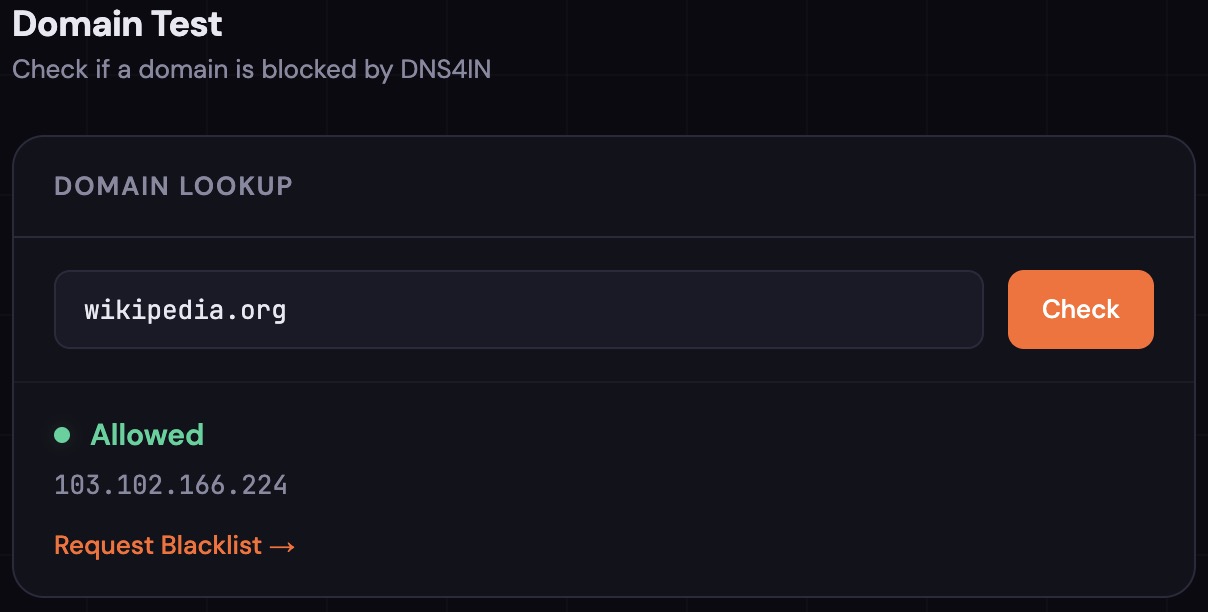
Scroll down to Domain Test on test.joindns4.in, type any domain, and hit Check. The page queries DNS4IN directly and tells you whether that domain is blocked or allowed, along with the DNS response code. It's a quick way to verify that our blocklist is doing its job, or to check whether a site you're having trouble with is being filtered.
Whitelist and Blacklist Requests
Our blocklist covers over 680,000 domains, sourced from multiple threat intelligence feeds and updated daily. But no blocklist is perfect. Sometimes a legitimate site gets caught. Sometimes a bad domain slips through.
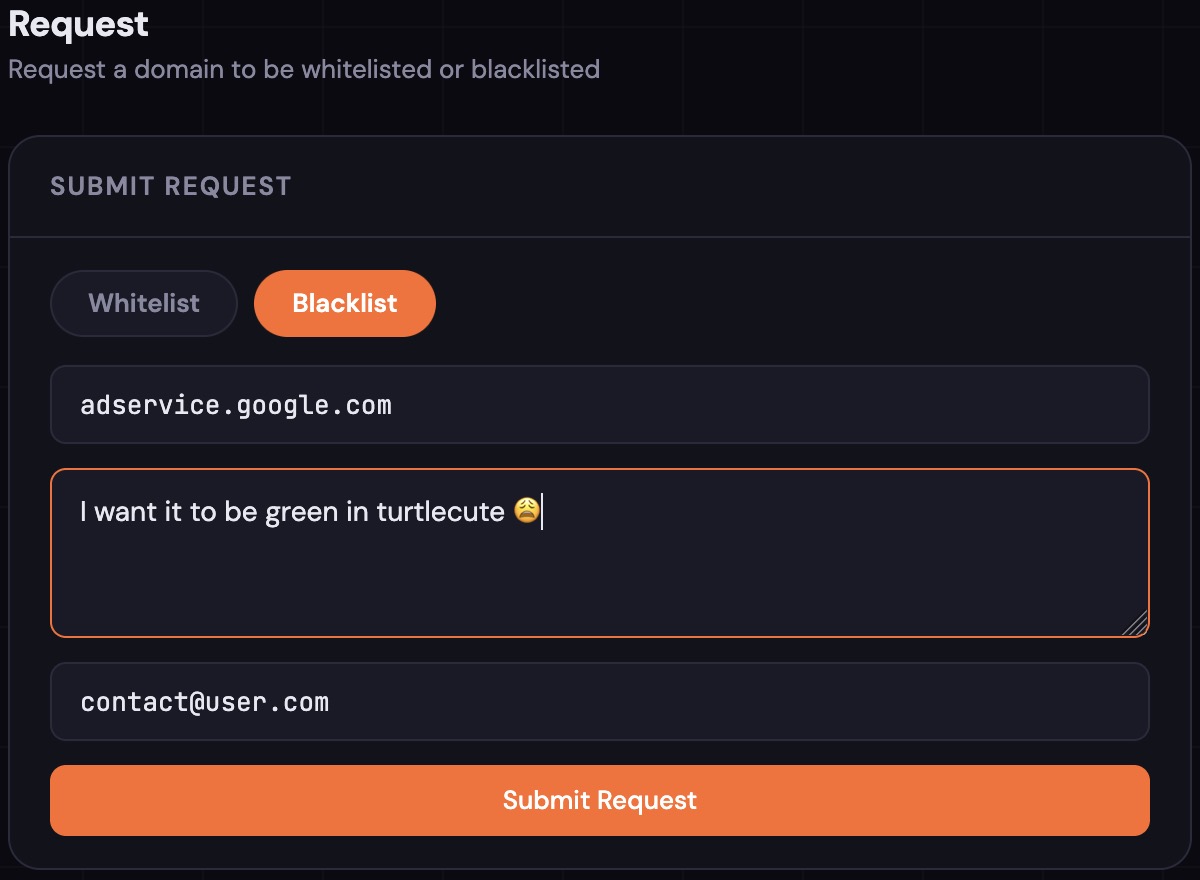
If you find a domain that's incorrectly blocked, or one that should be blocked, you can now submit a request directly from test.joindns4.in. Scroll to the Request section, choose Whitelist or Blacklist, enter the domain and a reason, and submit. We review every request manually and update our lists accordingly.
Even better: if you just checked a domain in the Domain Test and it came back blocked, a one-click link takes you straight to the request form with the domain already filled in.
Live Server Status
At the top of test.joindns4.in, you'll see a small status pill showing the real-time health of both servers. Green means both IPv4 and IPv6 are up. Yellow means one protocol is down. Red means the server is unreachable.
This pulls live data from our monitoring infrastructure, so what you see is what's actually happening right now. For a full uptime dashboard with historical data, visit status.joindns4.in.
Improved Compatibility
Some services like AWS Console and Netflix use a DNS routing technique that requires location information from your resolver. Since DNS4IN disables this by default for privacy, these services were receiving incorrect routing and failing to load.
We've fixed this by forwarding only these specific domains through resolvers that support location-aware routing. Every other query remains fully private through DNS4IN. The fix is surgical: your privacy isn't compromised, and AWS, Netflix, and a handful of other geo-dependent services now work correctly.
Better Routing for Western India
We've adjusted our geographic routing so that users in Western India (Mumbai, Pune, Gujarat) now connect to the Bangalore server more reliably. Previously, some users in these regions were being routed to Delhi, adding unnecessary latency. This change means faster resolution for a large part of the country.
Privacy Policy
We've published a full privacy policy at joindns4.in/privacy. The short version: we collect nothing. The long version explains exactly what that means: no query logs, no IP logs, no timestamps, no profiling, processing entirely in memory, data localized in India. It also covers the specific third-party services we use and why.
If you're evaluating DNS4IN for your organisation or recommending it to others, this page gives you everything you need.
What's Next
We're not done. Here's what's on our roadmap:
- Kolkata server - expanding to Eastern India for better coverage nationwide
- Newer encryption protocols - faster encrypted DNS is coming as the ecosystem matures
- Public statistics dashboard - aggregate query volumes, cache performance, and uptime in one place
- More platform guides - setup instructions for macOS, iOS, routers, and Linux are in progress
DNS4IN is free, open, and built for India. If you haven't tried it yet, it takes under a minute to set up. Visit joindns4.in to get started.
Test your connection: test.joindns4.in
Check server status: status.joindns4.in
Read our privacy policy: joindns4.in/privacy
Report a domain: test.joindns4.in → Request